Your Ultimate Guide to the Wedding Calendar Digital Planner
Planning a wedding is a beautiful journey, but it can also feel like a whirlwind of details, dates, and decisions. From the moment you say "yes" to the final toast, keeping track of everything requires more than just a good memory—it requires a brilliant system. Enter the concept of a dedicated planning hub, one that lives on your favorite device and adapts to your unique vision. We're talking about a tool designed to bring order to the excitement, transforming a potentially stressful process into a series of manageable, enjoyable steps.
More Than Just a Calendar: A Visual Command Center
A truly effective wedding planning tool does more than list dates. It becomes the central nervous system of your entire event. Imagine a digital space where your color palette lives next to your venue research, where vendor contact details are a click away from your budget tracker, and where inspiration images are pinned directly to their corresponding tasks. This is the heart of a modern digital planner. Its visual appeal isn't just about looking pretty (though it does that beautifully); it's about creating an intuitive, calming interface that reduces cognitive load. When you open your planner, you should feel organized and in control, not overwhelmed. The clean layouts, thoughtful typography, and harmonious color schemes are all intentional design choices aimed at making your planning experience smoother and more pleasant.
Practical Applications for Your Planning Journey
The versatility of a well-crafted digital planner extends far beyond just marking down "Book Caterer" on a Saturday. Its structure can support nearly every facet of your wedding project. Think of it as your personal brand identity for the event. You can use it for:
- Timeline & Task Management: Break down the massive project into monthly, weekly, and daily checklists. Assign tasks to your partner or wedding party members with clear deadlines.
- Budget Tracking: Allocate funds, log expenses, and track payments to vendors all in one secure place, with visual charts to see your spending at a glance.
- Guest List & Seating Charts: Manage RSVPs, meal preferences, and addresses. Some planners even allow you to build digital seating charts to visualize table arrangements.
- Vendor Research & Management: Create dedicated pages for each vendor category. Store quotes, contracts, contact info, and notes from meetings. Link directly to their websites or social media portfolios.
- Inspiration & Design Board: This is where the visual aspect shines. Curate your mood boards, color swatches, floral arrangements, and attire ideas right alongside the related planning tasks. It keeps your creative vision front and center.
- Day-Of Logistics: Build a minute-by-minute timeline for the wedding day itself, share it with your wedding party and key vendors, and include emergency contact lists and venue maps.
For the creative entrepreneur or small business owner in the wedding industry, understanding this tool's utility is key. It represents a digital product that solves a real, tangible problem for a specific audience. The design assets included—like the calendar templates and planning pages—are the core offering, but their value is unlocked by their application.
Elevating Your Project with Professional Design Assets
The quality of a digital product lies in its flexibility and professional finish. A premium digital planner template, for instance, is often provided in multiple formats to ensure compatibility and ease of use. You might receive a layered file for a powerful design program, a scalable vector file for crisp resizing, and high-resolution raster images for quick use. This multi-format approach is a hallmark of professional design assets, catering to users with different software and skill levels. Whether you're a bride customizing your own planner or a designer creating planners for clients, having access to editable, high-resolution files is non-negotiable. It ensures that every element, from the calendar grid to the decorative icons, looks sharp on any screen and in any printed version.
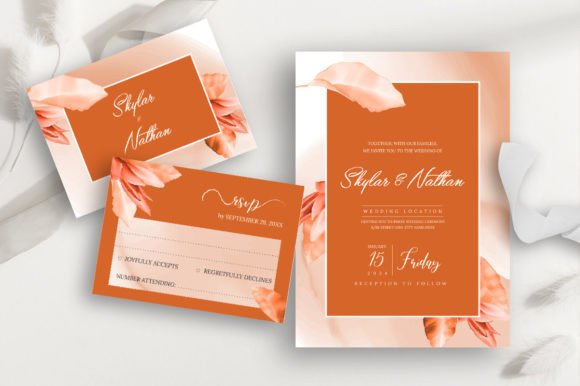
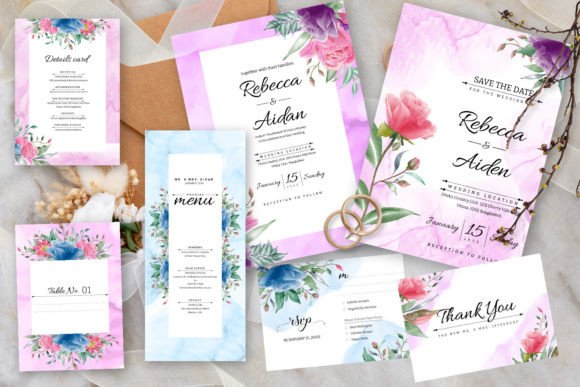
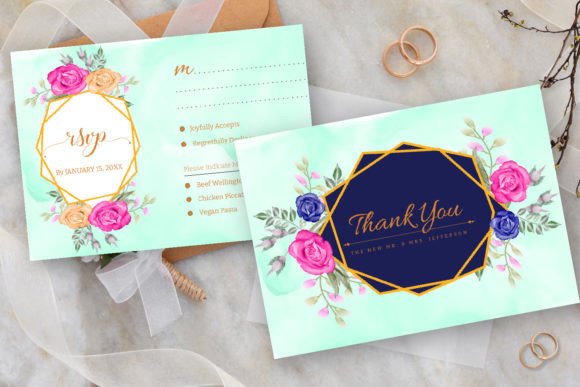
For those building a brand—whether it's for your wedding or your business—visual consistency is everything. Using a cohesive set of planning templates ensures that from your first "Save the Date" graphic to your final "Thank You" note, the aesthetic remains unified. This principle of brand identity applies directly to wedding planning. Your digital planner can be the source of truth for your wedding's visual language, helping you communicate your style to vendors and guests alike.
Making It Your Own: Customization and Flow
The true power of a digital template is its editability. A static PDF is limiting, but a file you can modify opens up endless possibilities. You should be able to change fonts to match your wedding invitation suite, adjust colors to your exact palette, and move or delete sections that don't fit your needs. This customization is what transforms a generic template into your wedding planner.
When you're working on customization, consider these practical tips:
- Font Pairing: If you're adding text, stick to two complementary fonts—one for headings and one for body text. A clean sans-serif often pairs well with an elegant script for a balanced, readable look.
- Readability First: No matter how beautiful a font is, if it's hard to read at a small size on a phone screen, it's not the right choice for your task lists or notes. Always prioritize clarity.
- Layer Management: In design software, take advantage of layers. Keep your background elements, text, and graphics on separate layers for easy editing without disrupting the whole layout.
- Save Versions: As you customize, save different versions. This allows you to experiment with color schemes or layouts without fear of losing your original work.
This process of tailoring a tool to your exact needs is a skill that translates directly to other areas. A blogger creating a media kit, a marketer developing a social media calendar, or an entrepreneur building a brand style guide all use the same principles of adaptation and visual consistency.
Beyond the Wedding: A Template for Future Projects
The skills you hone while customizing your wedding planner don't disappear after the big day. The experience of working with layered design files, managing a project's visual identity, and creating organized systems is incredibly valuable. You might find yourself applying these same techniques to plan a future event, organize a home renovation project, or even develop a product launch timeline for a business idea. The digital planner, in its essence, is a project management tool wrapped in a beautiful design. Understanding how to use and modify such templates is a form of digital literacy that pays dividends in both personal and professional contexts. It’s about taking control of complex information and presenting it in a way that is not only functional but also inspiring and uniquely yours.